
Configure IP address on Windows
Network interfaces with cameras typically use a static IP address because there is no DHCP server running inside those networks. Here we describe how you can configure your network interface accordingly.
1. To configure a static IP address as you would need for a network that has cameras hit Windows Key+X and select Network Connections.

2. Click on the properties of the network that you want to configure.

3. Typically, by default, it's configured to Automatic (DHCP).
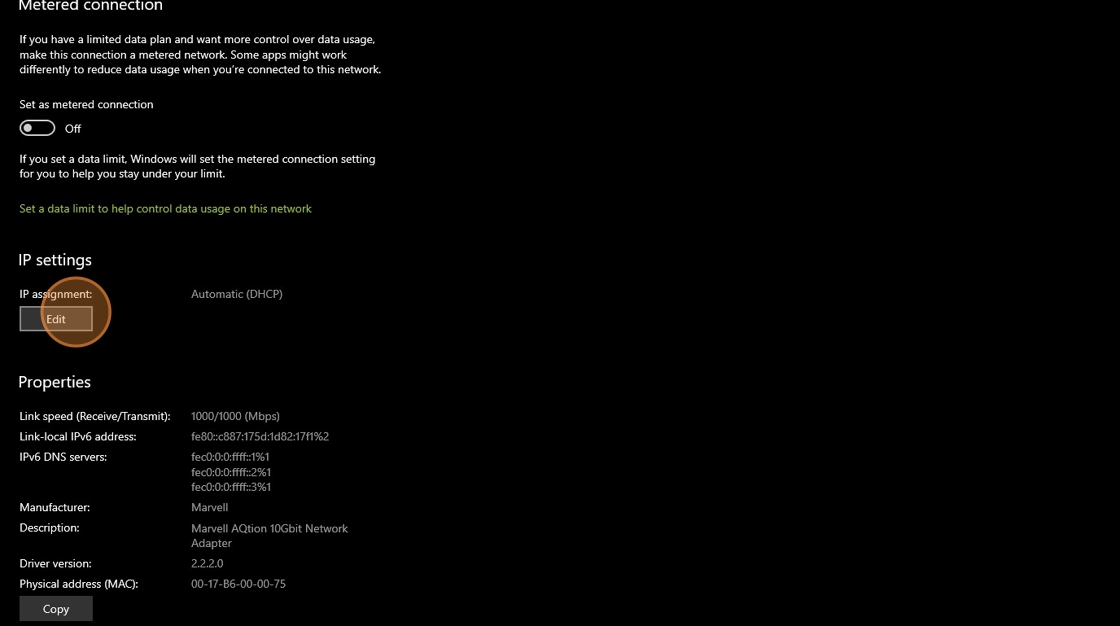
4. You want to change that to Manual.

5. Enable "IPv4"

6. Windows requires a gateway. You can use any address inside the subnet that's not the same as the IP address because it's never used. It's not connected to the Internet. We also don't need a DNS for the same reason.
